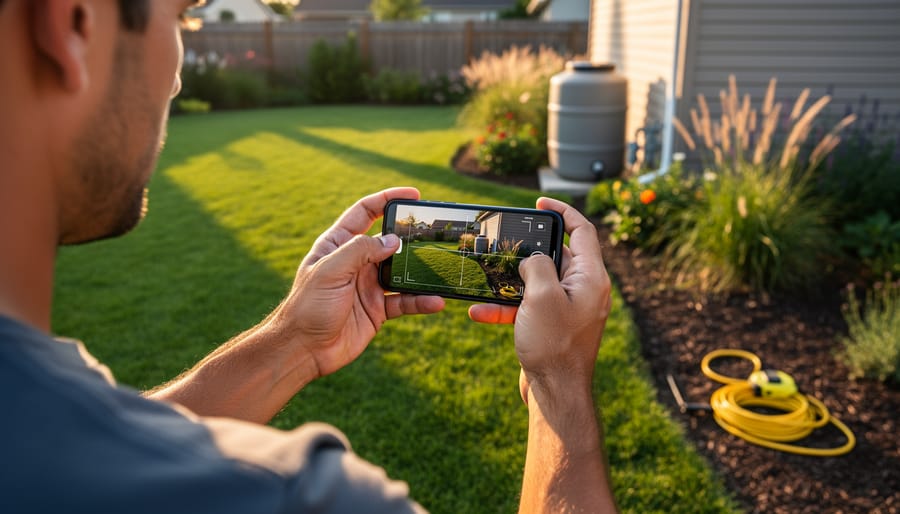
Download a smartphone measurement app like MagicPlan, RoomScan, or Google Measure to instantly transform your yard planning process from guesswork into precision gardening. These digital tools replace traditional tape measures and surveyor wheels, letting you map your entire property in minutes by simply walking the perimeter while your phone’s camera and sensors capture dimensions automatically.
Start by choosing between augmented reality apps that overlay measurements onto your live camera view or LiDAR-enabled options for iPhone users that deliver professional-grade accuracy within inches. Free versions handle basic rectangular spaces perfectly, while premium subscriptions unlock features like irregular plot mapping, elevation changes, and exportable scaled diagrams you’ll need for material calculations.
Once you’ve captured your yard’s footprint, these apps become planning powerhouses for sustainable gardening projects. Calculate exactly how much mulch covers your beds without over-ordering, determine precise spacing for native plant installations that support local ecosystems, and map out rainwater collection zones based on actual square footage. The measurements export directly into landscape design software or simple sketch tools, eliminating the mathematical headaches that stop many garden dreams before they start.
The real breakthrough comes when measurement accuracy meets environmental responsibility. Knowing your lawn’s exact dimensions means ordering the right amount of organic fertilizer, designing efficient irrigation layouts that conserve water, and planning vegetable gardens sized perfectly for your household’s needs without waste. What once required hiring professionals or spending hours with measuring tapes now happens during your morning coffee, turning ambitious yard transformations into achievable weekend projects backed by reliable data.
Why Accurate Measurements Matter More Than You Think
Let me tell you about my friend Sarah’s expensive lesson in measurement. She eyeballed her flower bed dimensions, ordered what she thought was enough mulch, and ended up with three extra cubic yards sitting in her driveway. The kicker? She still had bare spots because she’d miscalculated the depth needed. That mistake cost her nearly $200 in wasted materials and delivery fees.
Here’s the thing: precision isn’t just about being neat and tidy. It directly impacts your wallet, your garden’s health, and whether your beautiful design vision actually becomes reality.
When you’re off by even a few feet in your yard measurements, the consequences multiply quickly. Order too much sod or decorative stone, and you’re literally throwing money away. Order too little, and you’ll pay premium prices for small follow-up deliveries, not to mention the frustration of mismatched materials from different batches.
Plant spacing is where accurate measurements become absolutely critical for sustainability. Crowd your shrubs or perennials because you misjudged the bed size, and you’re creating competition for water and nutrients. Those plants won’t just look cramped; they’ll struggle to thrive, becoming more susceptible to disease and pests. Conversely, space them too far apart based on wrong calculations, and you’ll waste water irrigating empty soil while waiting years for them to fill in.
The math matters for practical applications too. Fertilizer and grass seed packages tell you exactly how much area they cover. If your measurements are wrong, you’ll either over-apply (wasting product and potentially harming your lawn) or under-apply (getting disappointing results). The same goes for calculating irrigation coverage or determining how many pavers you need for that pathway.
Getting it right the first time means your design actually fits your space perfectly.
How Yard Measurement Apps Actually Work
Ever wondered what’s actually happening when you point your phone at your lawn and get instant measurements? The technology is fascinating yet surprisingly straightforward, and understanding it helps you use these apps more effectively.
Most yard measurement apps rely on a combination of GPS and satellite imagery. When you open the app, it uses your phone’s GPS to pinpoint your location, then overlays satellite or aerial photographs of your property from databases like Google Maps or specialized mapping services. You’re essentially looking at a bird’s-eye view of your yard taken by satellites or aircraft, updated regularly to stay current.
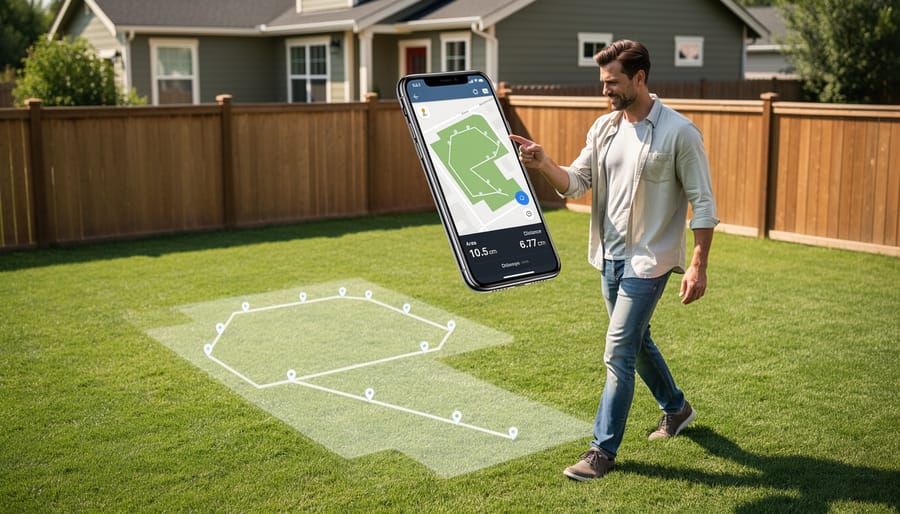
Many apps offer manual drawing tools that let you trace your yard’s boundaries directly on these satellite images. Simply tap points along your fence line or property edges, and the app calculates the enclosed area automatically. It’s remarkably accurate for planning garden beds or estimating how much grass seed you’ll need.
More advanced apps incorporate augmented reality features. These use your phone’s camera and internal sensors to measure distances as you walk around your yard. Point your camera at a corner, tap to mark it, then walk to the next point. The app tracks your movement and creates measurements in real-time, similar to a digital tape measure.
The beauty of these technologies is they work together seamlessly. You might use satellite imagery to get your overall yard dimensions, then switch to AR mode for precise measurements of that tricky sloped area where you’re planning raised beds. Understanding these tools means you can choose the right approach for each gardening project.
Top Yard Measurement Apps for Site Mapping
Google Earth and Free Alternatives
If you’re just starting your yard planning journey or working on a straightforward project, Google Earth offers surprisingly capable measurement tools without spending a penny. This free platform lets you measure distances, perimeters, and areas right from your computer or mobile device, making it an excellent choice for getting initial dimensions of your property.
To use Google Earth’s measurement feature, simply search for your address, click the ruler icon, and start plotting points around your yard. The tool calculates distances between points and total area automatically. For basic garden bed planning or estimating lawn square footage, it’s remarkably accurate, typically within a few feet for residential properties.
The main limitation? Google Earth’s satellite imagery may be outdated or taken from angles that make precise measurements trickier, especially in yards with lots of tree cover or structures. You’ll also need a clear view of your property boundaries in the imagery. For simple projects like determining how much grass seed you’ll need or roughly spacing out a vegetable garden, this level of accuracy works beautifully.
Other free alternatives include Measure Map from Apple Maps and various browser-based tools like CalcMaps. These options shine for preliminary planning before you invest in more specialized apps. They help you visualize your space and make informed decisions about sustainable garden layouts without any financial commitment, perfect for testing ideas before breaking ground.
GPS-Based Measurement Apps
GPS-based measurement apps offer a practical, hands-free approach to measuring your yard by tracking your walking pattern around the perimeter. Popular options like Measure My Lawn and LawnGuru have made calculating lawn size remarkably simple for homeowners tackling everything from grass seed orders to fertilizer calculations.
These apps work by having you walk the border of your measurement area with your phone in hand. The GPS tracks your path and calculates the enclosed area automatically. I’ve found them particularly useful for larger properties where laser measurements become tedious, typically performing best on yards over 5,000 square feet.
However, accuracy can vary based on GPS signal strength and your phone’s capabilities. In my experience, expect accuracy within 5-10% on open lawns, though this decreases around trees, buildings, or in areas with weak satellite signals. For precise landscaping projects requiring exact material calculations, this margin matters.
The real strength of GPS apps lies in their convenience for quick estimates and larger spaces. They’re perfect for determining how much grass seed you’ll need for overseeding or estimating mulch for widespread garden bed renovations. Most are free or inexpensive, making them accessible entry points for anyone beginning their yard planning journey.
For smaller gardens or precise hardscaping projects, you’ll want to supplement these measurements with more accurate methods, but they’re genuinely helpful for getting your planning started.
AR-Powered Measurement Tools
Augmented reality measurement apps have become game-changers for gardeners planning new beds or calculating lawn areas. Apps like AR Measure and RoomScan use your phone’s camera to measure distances in real-time, overlaying digital measurements onto your actual yard view. Think of it as holding up a virtual measuring tape through your screen.
AR apps excel when you’re working solo and need quick measurements for irregular spaces. They’re particularly handy for measuring curved garden borders or calculating area for mulch coverage. However, accuracy depends heavily on your device. You’ll need a smartphone with LiDAR sensors (like iPhone 12 Pro and newer) for professional-grade precision. Older phones work too, but expect measurements within a few inches of variance.
For best results, measure in good lighting conditions and hold your phone steady while scanning. Start measurements from clearly defined points like fence posts or patio corners. I’ve found these apps perfect for estimating how many plants you’ll need along a walkway or determining if that new compost bin will fit.
The sustainability angle here is significant: accurate measurements mean buying exactly what you need, reducing waste from over-purchasing materials. While traditional tape measures remain more precise for critical projects like building raised beds, AR tools are your friendly companion for everyday garden planning.
Professional-Grade Landscape Design Software
If you’re seriously invested in transforming your yard and want to go beyond basic measurements, professional-grade design apps might be worth exploring. Apps like iScape, Home Outside, and PRO Landscape bridge the gap between simple measuring tools and full-blown landscape design software, letting you visualize your dream garden before breaking ground.
These apps typically include augmented reality features that overlay design elements onto photos of your actual yard. You can place trees, shrubs, hardscaping, and even outdoor furniture to see how everything fits together. The measurement tools are integrated seamlessly, so you’re not just getting dimensions but also understanding spatial relationships and proportions.
The investment varies considerably. iScape offers a free version with basic features, while professional subscriptions can run $30-100 annually. PRO Landscape targets landscape professionals but offers scaled-down versions for homeowners serious about detailed planning.
For committed DIYers tackling major projects like complete garden overhauls or adding sustainable native plant beds, these tools can prevent costly mistakes. They’re particularly valuable when you’re trying to maximize space efficiency or ensure proper plant spacing for long-term growth. However, if you’re simply measuring for mulch or planning a small vegetable patch, the learning curve and cost might outweigh the benefits.
Consider starting with free trials to see if the advanced features genuinely enhance your planning process before committing financially.
Creating Your Base Map: A Step-by-Step Walkthrough
Preparing Your Yard Before Measuring
Before you fire up your measurement app, take a walk around your yard with a notebook and marking flags. Think of this as a treasure map of what you already have—you’ll want to mark anything that could affect your measurements or future plans.
Start by identifying your property lines, which might be marked by existing fences or survey stakes. Then note the location of utilities and underground cables, sprinkler heads, and outdoor faucets. Use different colored flags to mark distinct features: one color for utilities, another for trees you want to keep, and so on.
Pay attention to slopes and low spots where water tends to collect after rain—these drainage patterns are crucial for planning garden beds or patios. Track shade patterns throughout the day too, perhaps taking photos at morning, noon, and late afternoon. That shady corner might get six hours of sun you didn’t realize.
Here’s a sustainability tip worth its weight in compost: mark every healthy existing plant, tree, and shrub you want to preserve. Mature vegetation provides established root systems, habitat for beneficial insects, and natural cooling. Working around these green assets rather than starting from scratch saves money, time, and supports your local ecosystem beautifully.
Taking Accurate Measurements
Getting the most accurate measurements from your yard app starts with a few simple techniques. First, choose a clear day—overcast conditions work beautifully since harsh shadows can confuse some camera-based apps. Before measuring, take a moment to calibrate your app by walking a known distance, like along your driveway, to ensure GPS accuracy.
When measuring, walk at a steady, moderate pace around your yard’s perimeter, holding your phone at waist height. This consistent positioning helps GPS apps track your movement more reliably. If you encounter obstacles like trees or garden beds, simply walk around them closely and let the app capture the outline naturally.
For irregular shapes, break your yard into smaller, manageable sections—measure your main lawn separately from curved beds or odd corners, then add the totals together. Most apps handle this wonderfully and even let you subtract areas you don’t want included.
If your measurements seem off, try these quick fixes: ensure location services are enabled, clear any obstructions blocking your phone’s view of the sky, and avoid measuring during heavy tree canopy coverage. Remember, accuracy within a few percentage points is perfectly fine for planning garden layouts and estimating mulch or seed needs. You’re aiming for practical precision, not surveyor-level perfection!
Adding Critical Details to Your Map
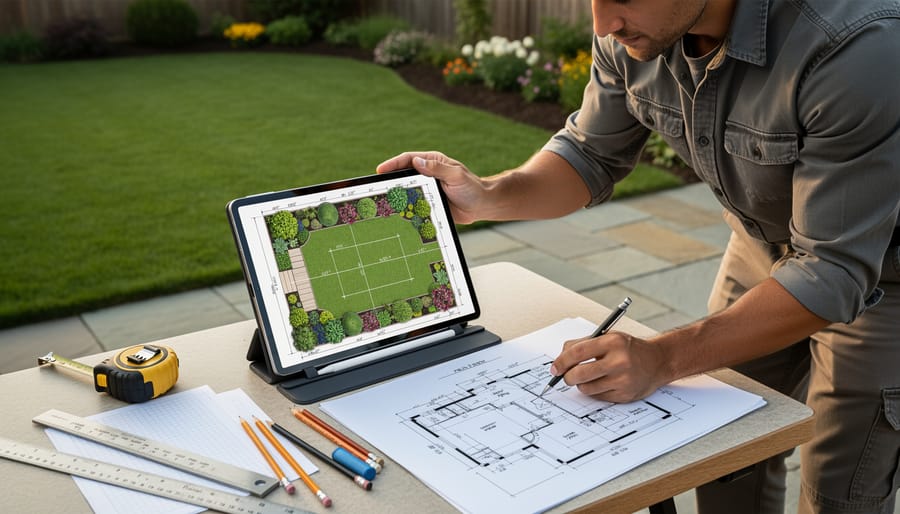
Once you’ve captured your yard’s basic dimensions, it’s time to transform those measurements into a truly useful planning tool. Think of this as creating layers of information that reveal your yard’s personality and potential.
Start by noting sun exposure patterns throughout the day. Walk your property at morning, midday, and late afternoon, marking areas as full sun, partial shade, or full shade. This simple step prevents the heartbreak of planting sun-lovers in shadowy spots or watching shade plants wilt in blazing heat.
Next, observe drainage patterns after a good rain. Where does water pool? Where does it rush away? These wet and dry zones dictate which plants will thrive without constant intervention.
Document soil conditions in different areas, noting whether it’s clay, sandy, or loamy. Mark existing irrigation lines and access points like gates and pathways.
Why does this matter? Because sustainable gardening means working with what you have rather than fighting against it, reducing water waste, chemical dependence, and plant replacement costs while creating a yard that practically takes care of itself.
Turning Measurements Into Actionable Yard Plans
Here’s the exciting part: transforming those precise measurements into a yard that thrives! Once you’ve measured your space, you can calculate exactly what you need, saving money and avoiding waste.
Let’s start with grass seed. For a lawn area measuring 2,500 square feet, you’ll need approximately 10-12 pounds of quality seed for a new lawn, or 5-6 pounds for overseeding. Your app’s square footage calculation takes the guesswork out completely. Similarly, for mulch in your flower beds, a 300-square-foot area needs about 2.75 cubic yards for a standard 3-inch depth. Most apps can help calculate volume when you input depth requirements.
Plant spacing becomes much easier with exact dimensions too. If you’re planning a hedge along a 40-foot property line and each shrub needs 3 feet at maturity, you’ll plant 13-14 shrubs. No more eyeballing and ending up with overcrowded plants competing for resources or awkward gaps in your design.
Irrigation planning benefits enormously from accurate measurements. Most sprinkler heads cover a 15-foot radius, so a 900-square-foot lawn section needs about four heads for proper coverage. This precision prevents overwatering in some areas while leaving others parched, conserving water and promoting healthier grass.
Consider dividing your yard into sustainable maintenance zones based on your measurements. A high-traffic 800-square-foot play area might get durable turf, while a shady 600-square-foot section under trees becomes a low-maintenance native plant garden. This strategic approach reduces water usage, minimizes chemical inputs, and creates a yard that practically maintains itself. Your measurement app provides the foundation for these smart, eco-friendly decisions.
When to Double-Check With Traditional Methods
While yard measurement apps are incredibly handy tools, let’s be honest about when you should grab that trusty tape measure instead. For property line disputes or fence installations along boundaries, traditional surveying methods aren’t just recommended—they’re often legally necessary. Your neighbor probably won’t accept a screenshot when discussing that shared fence line!
Similarly, hardscaping projects like patios, retaining walls, or concrete pours demand extreme precision. A one-inch error might not matter when spacing tomato plants, but it becomes a costly headache when ordering custom-cut pavers or pouring a foundation.
Here’s the sustainable approach I recommend: use both methods together. Let your app handle initial planning and rough measurements for garden beds, mulch calculations, and plant spacing. Then verify critical dimensions with a tape measure before making purchases or breaking ground. This hybrid approach gives you the speed and convenience of technology while maintaining the accuracy needed for permanent installations.
Think of apps as your planning partner and tape measures as your verification tool. Together, they’ll help you create a beautiful yard while avoiding expensive mistakes and material waste—a win for both your wallet and the environment.
Gone are the days when professional landscape design was out of reach for everyday gardeners. Yard measurement apps have truly democratized the planning process, putting powerful tools right in your pocket. Whether you’re a first-time homeowner tackling your inaugural garden bed or an experienced gardener reimagining your entire backyard, these apps level the playing field beautifully.
The best part? You can start exploring today with free options that deliver surprisingly robust features. There’s no need to commit financially until you’ve tested what works for your specific needs. And here’s the truth that every seasoned gardener knows: accurate measurements aren’t just about making things look good. They’re the foundation of sustainability. When you know exactly how much mulch, soil amendment, or irrigation line you need, you eliminate waste, save money, and reduce your environmental footprint.
Think about it. Overordering materials means unnecessary production, transportation emissions, and resources destined for the landfill. Underestimating leads to multiple trips and gaps in your design. Proper measurements get it right the first time.
So before you break ground on your next project, take thirty minutes to measure properly. Your future self, your budget, and the planet will thank you. Start planning smarter today.